
How to change Murena Workspace account recovery email?
EditLogin to your account at Murena.io.
Click on your profile image located at the upper right corner.
Click on
Settingsin the dropdown menu.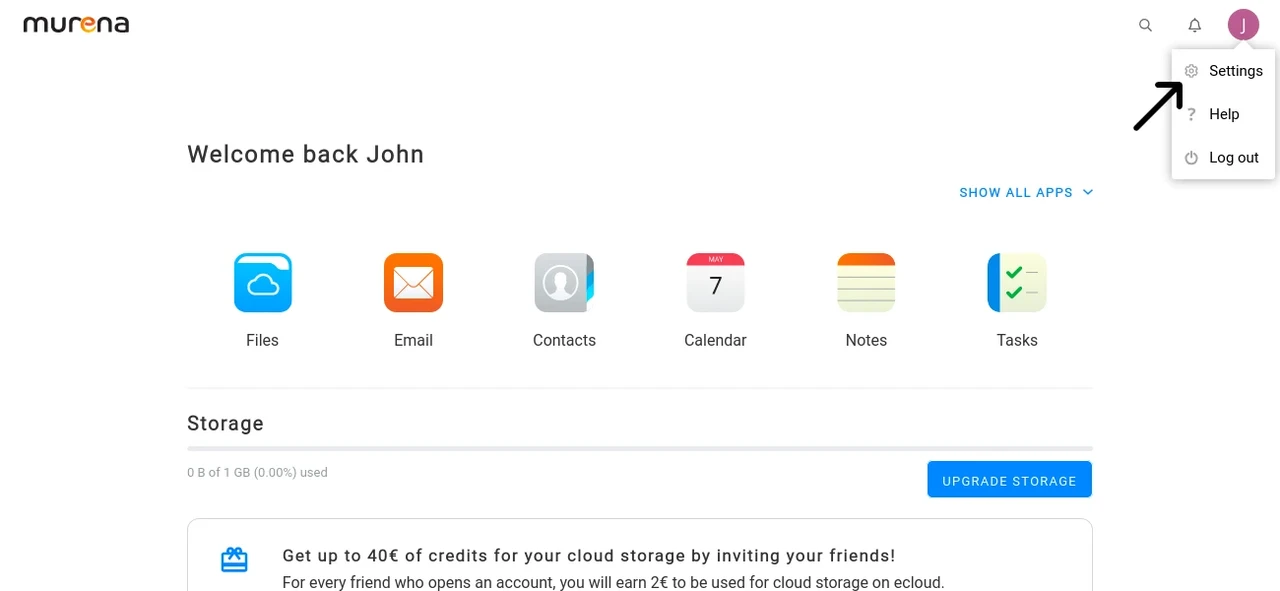
Go to the
Securitytab using the menu on the left.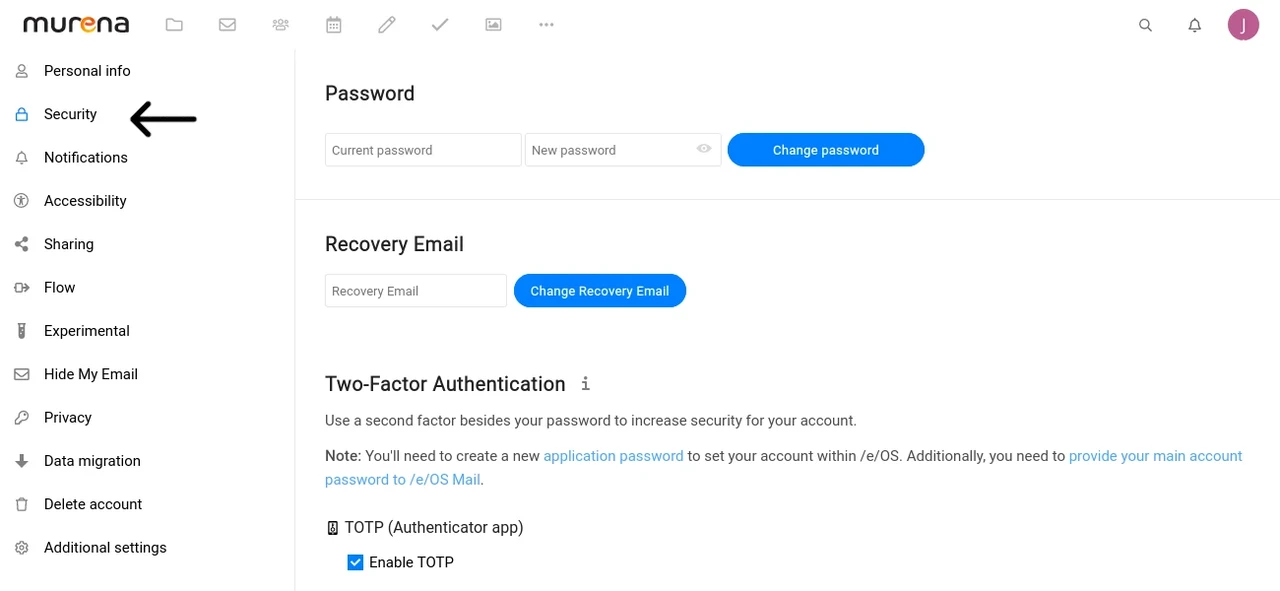
Enter an email address of your choice in the Recovery Email section and click
Change recovery email.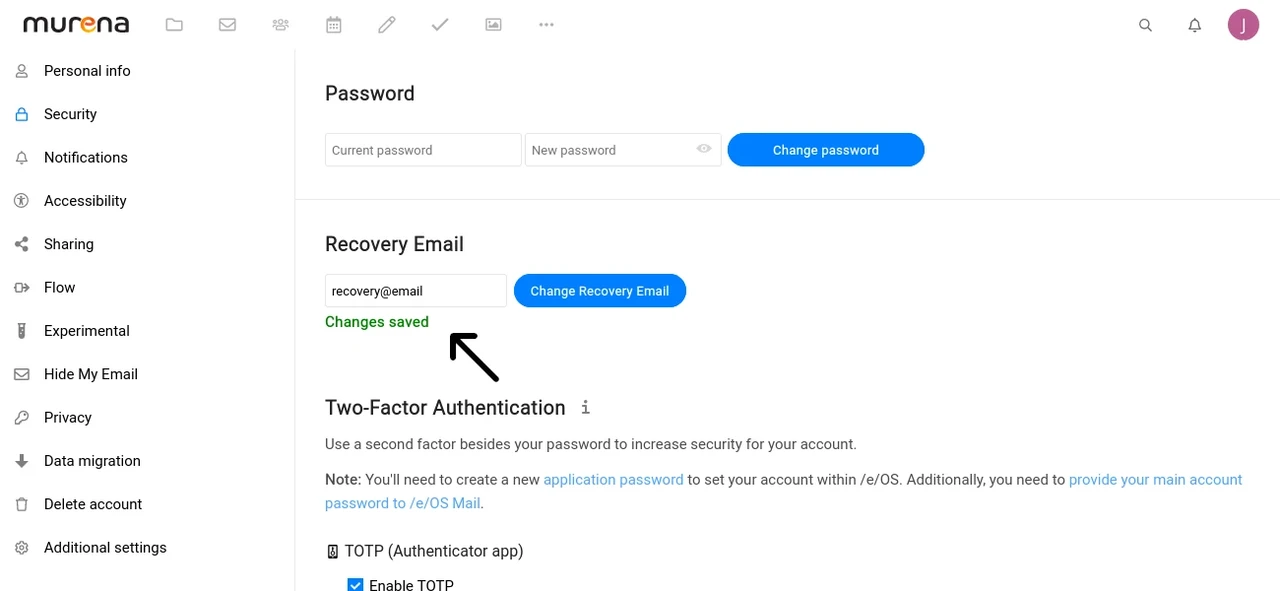
Congratulations, the email address you entered will be used for account recovery.