Capture a debug information from /e/OS
EditWhy do you need a log?
Whenever you run into an issue and try to report it you must have seen the request from the support or development teams to provide a log or a logcat.
A log helps the development team debug the issue and find out the resolution.
To generate a logcat you would need to enable adb on your phone as well as your PC.
What is adb?
adb stands for Android Debug Bridge. adb is a versatile command-line tool that lets you communicate with a device. The adb command facilitates a variety of device actions, such as installing and debugging of apps.
To enable adb
On your phone
- Enable
Developer optionsinSettings(Settings>About phone> TapBuild number7 times). - Enable Android debug (
Settings>System>Developer options>Android debugging).
- Enable
On your computer,
Install
adbon your PC.There could be issues here with the device driver or the OS type. You can find details on how to install
adbhere.Connect your device to your computer.
Detect your device by typing the below command at the command prompt:
$ adb devicesYou would have to accept an authorization on your phone. A pop up like this will appear.
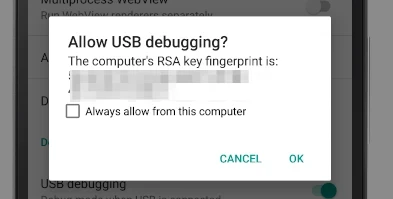
- Check the option
Always allow from this computerand clickOk. - Check that your device is being detected by
adb. - Once you accept the authorization shown above you will see the display on you screen like this.
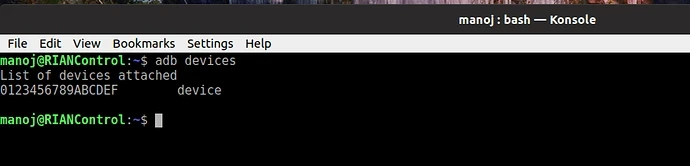
- If you do not accept the message will say that the device is unauthorized.
Generate a bug report using adb
Try to reproduce the error. For e.g if Music app is crashing then run it again. The app you are
facing an issue with will crash.Now Run this command at the command prompt / console:
$ adb logcat -d > logcat.txtThis will create a file called logcat.txt in the current folder.
Check the file for any personal data. You can either scroll the log file or do a search. Remember the file can be quite large.
Once you have the logcat file please share it with the development team as an attachment to the Gitlab error .
Additionally, the radio buffer can be viewed or stored with logcat. If needed or requested, type the below command:
`adb logcat -db radio > radio.txt`
Next save it as radio.txt and share with the development team or on Gitlab.
Capture a bug report from a device
Pre requisites for sending this report from the device:
- To be able to attach the bug report once it is created, there should be an email account configured on the phone.
- Enable
Developer optionson the device. IfDeveloper optionshas not been enabled on your device check this guide.
Try to reproduce the error. For e.g if Music app is crashing then run it again. The app you are facing an issue with will crash.
In
Developer options, tapBug report.
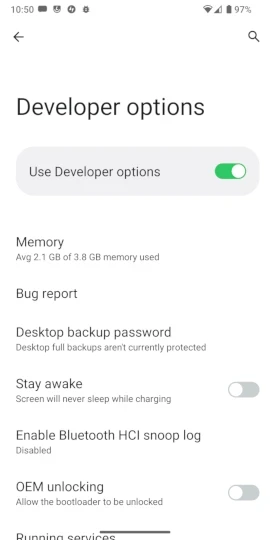
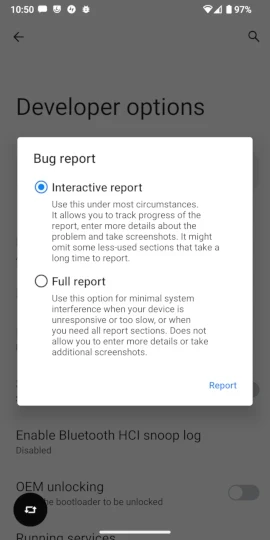
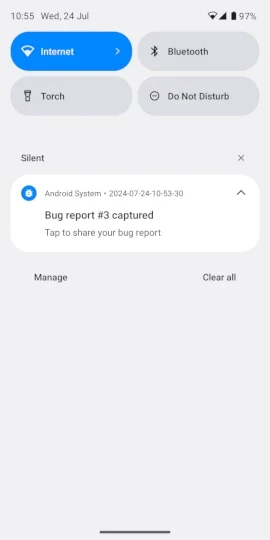
After a moment you get a notification that the bug report is ready.
Swipe down on the notifications to share the bug report you just created.
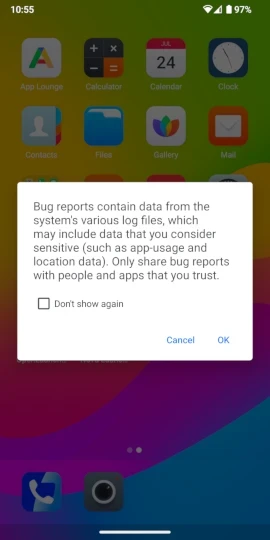
- You would see a warning regarding the information in your log. Check the logs for any personal information before sharing.
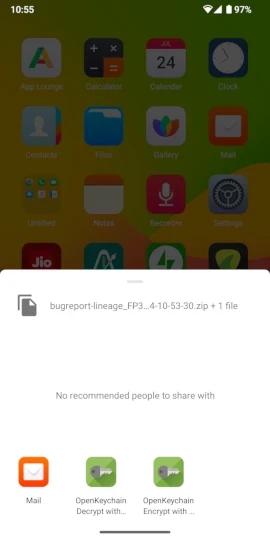
- Once you have accepted the above warning you will be shown the option to share the information. Here we are assuming you will go ahead with the email option.
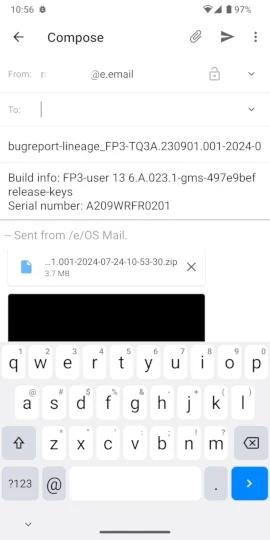
- The below screenshot is how the email will show up. Add the email ID of the person or Murena team you want to send the log to.