Enable Wi-Fi calling or VoWiFi (Voice over Wi-Fi) on Teracube Emerald
EditTip: Wi-Fi calling will only work on Teracube devices running /e/OS v2.1 and above.
Navigate to
System settings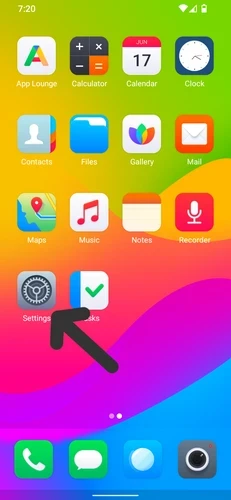
Tap on
Network and Internet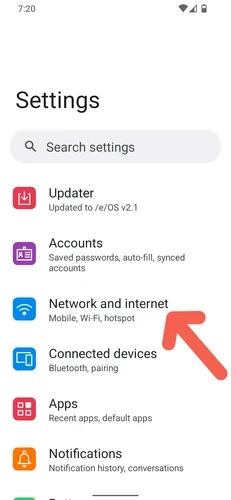
Tap on
Internet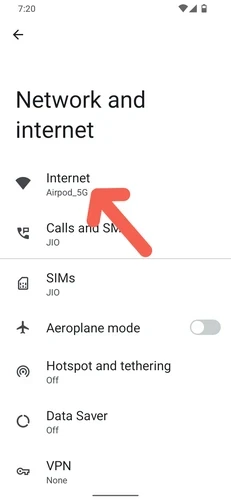
Tap on
Gear symbolbeside your SIM card name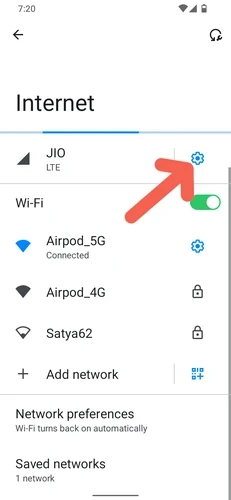
Tap on
Wi-Fi Calling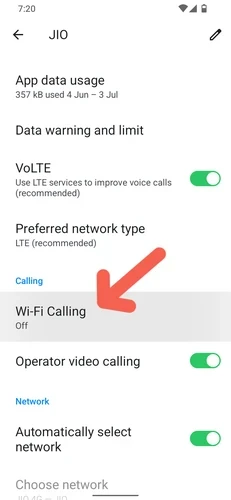
Toggle Wi-Fi calling
ON
Tap on the new
Calling preferencesetting that will appear after Wi-Fi calling is turned ON.
Select
Call over Wi-Fi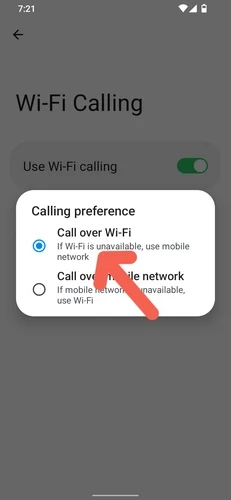
Go back one screen using the
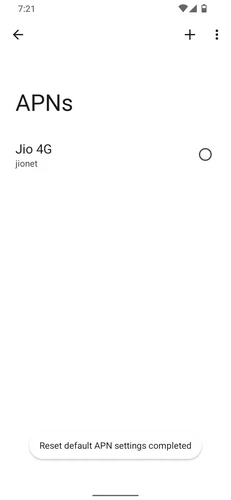
Back button. Then, tap onAccess point names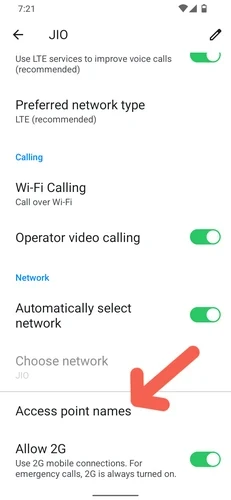
Tap on
three dotsattop right
Tap on
Reset to default
Your APN settings will be reset and Wi-Fi calling should start working. If it still doesn’t work, try restarting your device.