
Reverting to stock ROM on the GS290 for Windows users
EditCaution: These instructions are only for Windows PC users
Caution: The install will wipe all data on your phone.
Download and install MTK driver
Download and extract the SP Flash Tool
Download and extract the stock rom firmware
Next open sp flash tool where you extracted it.
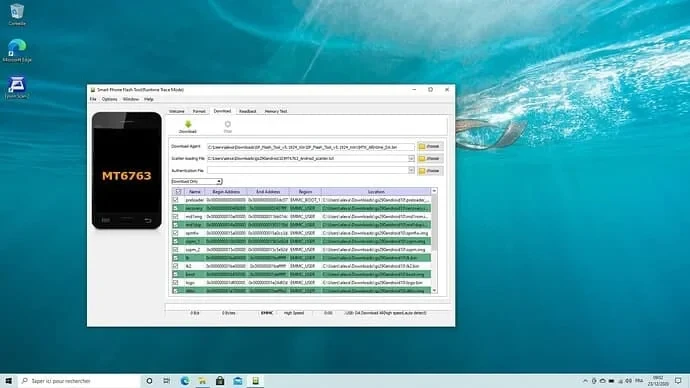
Go to “download” tab (NEVER use “format”)
In scatter file select
MT6763_Android_scatter.txtinside the extracted firmware
Click on “download” button.

Turn off the phone
Plug in the phone ..it will ask you to plug in at this point
Now it will be downgraded to android 10
This process will wipe all your existing data
At the end you should see a pop-up with a green validation image. Long press on power button to restart the phone
Click here to return to continue the installation of /e/OS